Setup guide · ~5 minutes
How to Set Up IPTV Smarters Pro in Australia (2026 Guide)
IPTV Smarters Pro is the most popular IPTV player app in Australia. To set it up, you download the app on your device, choose “Login with Xtream Codes API”, and enter the username, password and server URL your IPTV provider sends you. The whole process takes under five minutes.
Smarters Pro runs on practically everything — Firestick, Android TV, Samsung and LG Smart TVs, iPhone, iPad, Android phones and Windows PCs — and gives you a clean channel guide (EPG), on-demand library, catch-up TV and multi-screen support. This guide walks you through every step, plus fixes for the most common problems.
What you'll need
- An active IPTV subscription or free trial (your provider sends a username, password and server URL — get a free 24h trial from us on WhatsApp)
- A device: Firestick, Android TV box, Smart TV, phone, tablet or PC
- Internet connection of 25 Mbps or faster (50 Mbps for 4K)
No subscription yet? Start with a free 24-hour trial — it works perfectly with this guide.
Step-by-step setup
- 1
Download IPTV Smarters Pro on your device
On Android TV, Google TV or an Android phone, install IPTV Smarters Pro from the Play Store. On iPhone/iPad, get “Smarters Player Lite” from the App Store. On Samsung or LG Smart TVs, search the TV's app store for IPTV Smarters. On Firestick, use the Downloader app (code from your provider) to side-load the latest APK.
- 2
Open the app and accept the terms
Launch IPTV Smarters Pro and accept the terms of use. On the login screen, choose “Login with Xtream Codes API” — this is the method nearly all providers, including IPTV Australia, use.
- 3
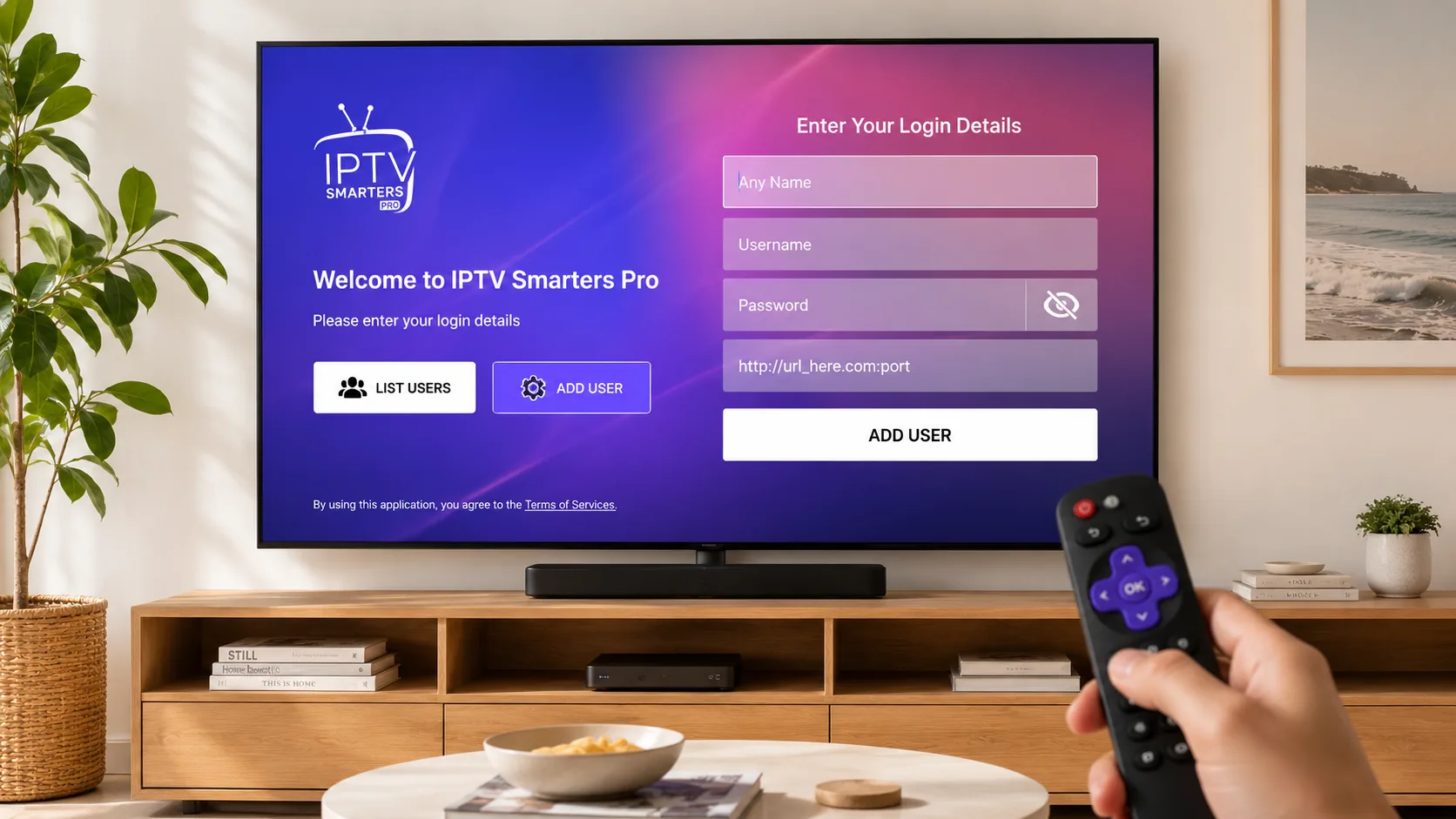
Enter your login details
Type the playlist name (anything you like, e.g. “IPTV Australia”), then the username, password and server URL exactly as they appear in the WhatsApp message from your provider. Double-check for typos — the URL must include the http:// part and the port number.
- 4
Add user and let the content load
Press “Add User”. The app downloads your channel list, movies and series — with a 35,000+ channel service this first load can take a minute or two. It's much faster on every later launch.
- 5
Load the EPG (TV guide)
Go to Settings → EPG and tap “Install EPG” so the program guide populates with what's on now and next for Australian channels. Set the EPG time shift if times look off for your timezone (AEST/AEDT).
- 6
Start watching
Open “Live TV” and browse categories — Australian channels, sports, movies, international. Mark your favourites (long-press a channel) so AFL, NRL and your local channels are always one click away.
Stuck on a step? We'll do it with you.
Our team walks customers through IPTV Smarters Pro setups every day — live on WhatsApp, free, 24/7.
Troubleshooting common problems
“Invalid login details” error
Almost always a typo. Re-enter the username, password and full server URL exactly as sent — no extra spaces, include the port. If it still fails, message us on WhatsApp and we'll verify your line is active.
Channels buffer or freeze
Run a speed test — you want 25 Mbps+ (50 for 4K). If your speed is fine, switch the player decoder: Settings → Player Settings → change “Hardware decoder” to “Software” or vice versa. Restarting your router also clears most evening congestion issues.
EPG shows no data or wrong times
Settings → EPG → “Refresh EPG”, and set the EPG Time Shift to match Australian Eastern Time. If the guide is still empty, your provider may need to enable EPG on your line — one WhatsApp message fixes it.
App not available in my TV's app store
Some Samsung/LG regions removed Smarters. Use the IBO Player or Smart IPTV app instead — or plug in a $60 Firestick, which gives the best Smarters experience anyway. We support all of them.
IPTV Smarters Pro — frequently asked questions
Is IPTV Smarters Pro free?
Yes, the app itself is free. It's just a player — you need an IPTV subscription (the username, password and server URL) to actually watch anything. That's what we provide, from $15 AUD a month.
Does IPTV Smarters Pro work on Firestick in Australia?
Yes — Firestick is the single most popular way Australians run Smarters Pro. You side-load the APK with the Downloader app in about three minutes; our Firestick guide covers it step by step.
What's the difference between IPTV Smarters Pro and Smarters Player Lite?
Smarters Player Lite is the iOS version of the same player, published for App Store rules. Setup is identical: choose Xtream Codes login and enter the same credentials.
Can I use IPTV Smarters Pro on multiple devices?
You can install it everywhere, and your plan determines how many devices can stream at the same time. Ask us on WhatsApp if you need simultaneous connections for multiple TVs.
Related setup guides
Ready to stream? See our IPTV subscription plans in AUD — from $5.83/month on the yearly plan.